
3CX CRM Integration
For any business that manages client relationships through a CRM, every call that goes unlogged is a gap in your records. Every inbound call your team answers without knowing who is calling is an opportunity to make a better impression, missed. Every number dialled manually is a risk of error and a waste of seconds that add up across a sales floor.
3CX CRM integration fixes all of this. When Central Connect connects your hosted 3CX phone system to your CRM, your team gets automatic call logging, screen pop on inbound calls, and one-click dialling from contact records. The phone and the CRM operate as a single tool rather than two separate systems your team has to keep in sync manually.
CRM integration is available on 3CX Pro and Enterprise. It is not included in 3CX Standard. Central Connect can upgrade your licence tier if required.











When an inbound call arrives from a number that exists in your CRM, the caller’s contact record opens automatically on the agent’s screen before they answer. The agent sees the client name, company, account type, recent activity, open deals, and support history without having to search for anything. By the time they say hello, they already know who they are speaking to.
For businesses with returning clients — professional services, healthcare, hospitality, retail — this changes the quality of every inbound conversation.


Every phone number in your CRM becomes a one-click dial. Your team clicks the number in Salesforce, HubSpot, or Zoho and 3CX places the call automatically. No manual dialling, no misdialled numbers, and the outbound call is logged against the contact record the moment it completes.
Every call — inbound and outbound — is logged against the relevant CRM contact or deal record automatically. The log entry includes the call date, time, duration, direction, agent name, and a link to the call recording if recording is enabled. Your team does not log a single call manually. The data is just there.

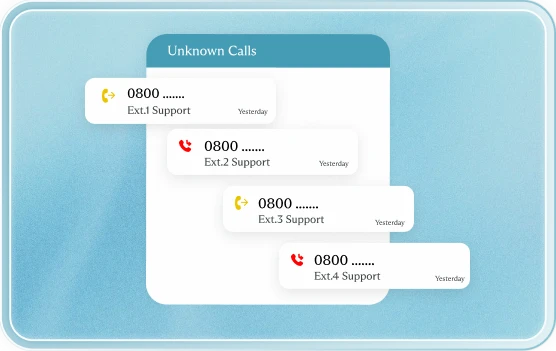
If an inbound call arrives from a number that does not match any existing CRM record, 3CX can automatically create a new contact record for that caller. The record is pre-populated with the number and the call date and is flagged for your team to complete after the call. Works alongside the 3CX IVR so the contact record is created regardless of which agent answers or which queue the call came through.
Faster outbound dialling with click-to-call. Every prospect touchpoint logged automatically. Call recordings accessible inside deal records for coaching and handover. Time saved on data entry redirected to actual selling.
Full client history visible before answering. No asking clients to repeat their account details. Support tickets automatically updated with every call interaction. Escalation history visible at a glance.
Complete call activity visible in CRM reports. Lead response times, call volumes per agent, and first-call resolution rates measurable from inside your existing CRM reporting tools.
Caller ID matching shows the client name on screen before the call is answered. Warm, personal greeting every time. Faster call routing because the agent already knows the context.


Inbound client calls trigger a screen pop showing the client file, recent correspondence, and open matters. Outbound calls to clients are initiated from within the practice management system. Every call logged automatically against the client record with no manual entry.
Patient calls are matched to their record in Cliniko (or similar PMS) before the receptionist answers. Appointment bookings, follow-up calls, and after-hours contacts all logged against the patient file automatically.
Prospective buyer and vendor calls are matched to active listings and contact records in the CRM. Outbound follow-up calls to leads are made via click-to-call from the CRM pipeline view. Every touchpoint in the sales cycle is recorded.
Candidate and client calls matched to records in JobAdder. Placement activity tracked through call data. Consultant outbound call volumes visible in CRM reporting.
Client calls matched to matter files. Call recordings accessible from the matter record for file notes and compliance purposes. After-hours call activity logged for billing reference.

If your CRM is not on the standard supported list, Central Connect can explore a custom integration via the 3CX open API. We have built connectors for industry-specific platforms and proprietary systems. The feasibility depends on whether your CRM has an API that supports the required read and write operations. Contact our team with details of your platform and we will assess the options.
Routing rules can be updated at any time by contacting Central Connect or through your management portal, depending on the complexity of the change. There is no waiting for a technician to reprogram anything on-site.
CRM integration requires 3CX Pro or Enterprise. It is not available on 3CX Standard. If you are currently on Standard, Central Connect can upgrade your licence tier. The upgrade is applied to your existing hosted environment and does not require any system migration.
No. The CRM connector operates asynchronously. It does not sit in the call path. Calls connect and route at full speed and the CRM logging happens as a background process after the call state changes. Call quality and system responsiveness are unaffected.
Yes. Logging rules are configurable. Common configurations include logging all external calls while excluding internal extension-to-extension calls, logging only calls above a certain duration, or logging calls handled by specific queues. Central Connect sets this up based on your preferences during configuration.
If the inbound number does not match any CRM record, the screen pop either shows a blank new contact form (depending on your CRM’s behaviour) or 3CX can be configured to auto-create a contact record with the caller’s number pre-populated. Your team completes the record details after the call.
Yes, with some configuration work. 3CX can run multiple CRM connectors simultaneously. This is useful for businesses where different teams use different CRMs, or where a client CRM and an internal operations system both need call data. Central Connect can scope this during the discovery session.
Contact Central Connect with the name of your CRM and whether it has a public API. If it does, we can assess whether a custom connector is feasible. 3CX provides open API documentation and Central Connect has experience building integrations for non-standard platforms. We will give you an honest assessment rather than a speculative yes.